 More often than not, it’s always recommended that you use a solid password to optimize your online accounts. However, just because passwords are critical, doesn’t mean that you should put all your eggs in one basket. Passwords should only be the start of a comprehensive online account security setup.
First, we’ll explain why passwords have lost their edge in recent times, and some of the great ways to overcome their shortcomings that are available.
Why Passwords Are Insufficient
The use of passwords has come to be known as single-factor authentication, which grows less secure as time goes on. This is because the tools that hackers use to infiltrate accounts have grown increasingly advanced over the past few years, which also means that the damage that they can inflict has also increased substantially. Passwords are an impossible situation either way; either you make them so complex that you can’t remember them, or you make them simple enough to remember, but they’re not very secure. Hackers have all sorts of tactics available to them, including stealing passwords from databases, coercing credentials through spear phishing tactics, or even brute-force attacks where the hacker tries as many passwords as it takes to crack your security.
What Your Alternatives Are
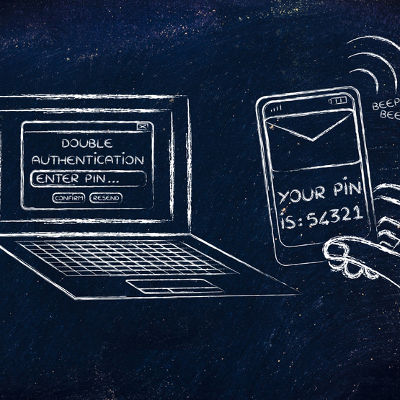
The best way to approach account security and access control, in general is to take a two-pronged approach. On one hand, you’re going to need some form of two-factor authentication, which requires extra credentials and makes logging into accounts much more difficult for hackers. The idea is that these secondary credentials are sent to a device currently in the possession of the employee using the credentials, like in the form of an SMS message or phone call. This means that hackers will need access to both the password and the physical device to take advantage of an account. These criminals often find the extra effort unappealing and will move on to different targets.
An additional part of two-factor authentication is keeping an eye on your account access logs. You want to make sure that nobody is accessing your network or online accounts without prior permission. More importantly, monitoring your access logs helps to make sure that hackers haven’t obtained your credentials and aren’t using them to infiltrate your network. The most common case is hackers using legitimate credentials to access an account, and the security solution sees it as normal activity. If you’re monitoring your access logs, you can dodge problems like this.
In addition to two-factor authentication practices, we also like to recommend that your business use an enterprise-level password management system. By storing all of your passwords in a secure application, you can effectively utilize complex passwords for all accounts, pushing your password security through the roof.
For more information about two-factor authentication and password managers, give Evolve IT a call at (518) 203-2110.

