 Phishing attacks grow more common every day, particularly because it’s so challenging to know who’s for real and who’s a fake on the Internet. The anonymity of the Internet has fostered an environment where hackers can extort money with little fear of getting caught, under the right circumstances. How can you protect yourself and your business from being targeted by phishing attacks?
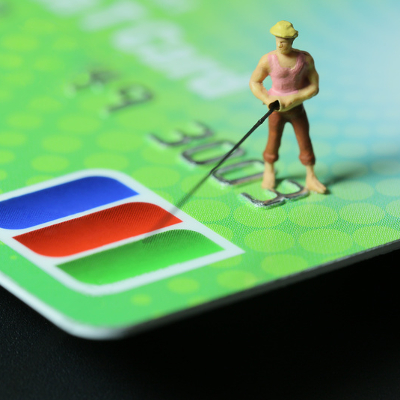
Phishing attacks are similar to your typical fishing trip, in a sense. Hackers are casting out their lines by sending emails, hoping to catch a bite--someone who is willing to respond with credentials or other sensitive information. Thankfully, identifying the average phishing attack doesn’t have to be challenging. Some of the telltale signs are very obvious, if you know where to look.
Carefully Analyze the URLs
Most phishing emails will ask that you click a URL to navigate to a malicious webpage, or to execute a download of malicious files. On the off chance that these URLs aren’t malicious, you should hover over them (don’t click it), and check if the URL goes where it says it does. You should be able to see the destination of the URL easily enough, which will indicate whether or not you can trust it.
Does the Message Ask for Personal Information?
One of the easiest ways to identify a phishing email is if it asks for credentials or personal information of any kind. This could include usernames, passwords, Social Security numbers, credit card information, and much more. Some phishing attacks will target you posing as a bank associate or a member of another legitimate organization, asking for information about your account. Just keep in mind that most large institutions will generally contact you with other means if there’s something they need you to do for them; usually via direct mail or a phone call. Never hand over information via email to anyone.
Does the Message Contain Spelling or Grammar Errors?
More often than not, large companies that reach a lot of people with their marketing campaigns or other offerings will practice proper spelling and grammar in their emails. This isn’t the case with phishing scams. If the message doesn’t look professional, it probably isn’t, and should be treated as a threat.
Their Offer Just Doesn’t Make Sense
Have you ever heard the saying, “If it’s too good to be true, it probably isn’t?” This applies to phishing scams. If you receive messages that are offering you a small fortune or claim that you’ve won the lottery (especially if you did nothing to warrant doing so), chances are you’re dealing with a phishing scam. Just promptly send the message to your spam folder where it can be safely deleted.
Don’t Click or Download Unexpected Attachments
One of the leading sources of dangerous ransomware and other computer threats will come in the form of an email attachment. Sometimes this might look like a resume, shipping information of an unexpected package, or some other document or zip file. No matter how legitimate it looks, if it is unexpected or not going through the proper channels, it’s best to follow up with the sender before opening the file. Don’t risk it if there are any red flags.
Ideally, the best way to protect yourself and your organization from phishing emails is by enacting some sort of spam protection solution. This will help keep the threats away from your organization by preventing the spam emails from reaching your inbox in the first place. Contact Evolve IT for more information about how you can protect your business from phishing attacks and all kinds of cyber threats.

