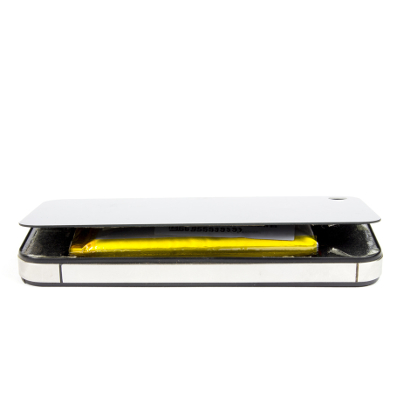
 Following in the iPhone’s footsteps, it’s been confirmed that Samsung mobile devices will no longer feature the removable battery and MicroSD card slots that differentiated them from its competition. While it’s not clear if this change will affect sales figures, it will probably be a while before Samsung users understand that their phones no longer feature removable batteries, which could lead to some potentially messy lawsuits.
You’d think that after the whole T-Mobile debacle that Samsung would have learned their lesson about non-removable batteries. The incident in question is the suspension of ZTE Zmax phablets last spring, and while there wasn’t really anything wrong with the product itself, many customers with subpar reasoning standards felt the need to remove the non-removable battery.
In fact, some “professionals,” like Tony from iFixit.com, suggest prying the battery cover off with a knife; because nothing makes more sense than puncturing a dangerous electronic device with a metal blade. Granted, not all users bought into this lunacy. Another iFixit.com user, Nokia Adeston, promptly responded that the entire reason T-Mobile discontinued the product is because people just couldn’t wrap their heads around the fact that the user wasn’t supposed to mess with the battery.
Tony: It has no glue, I opened my ZTE Zmax using a knife and small screwdriver prying little by little.
Nokia Adeston: You aren’t supposed to open the back of the ZTE ZMAX. They can be opened but it has a high risk of damaging the phone. T-Mobile and MetroPCS stopped selling these phones because people were either breaking their devices or hurting themselves trying to open and remove the battery. I wouldn’t recommend opening it unless it is professionally done.
What Tony doesn’t understand is that batteries can act like miniature volcanoes when punctured, essentially blowing anything nearby into smithereens.
To make matters worse, we’re fairly certain that the packaging and documentation that came with the ZTE ZMax was exceptionally clear that the phone didn’t feature a removable battery. Still, this doesn’t stop people who don’t bother to read the instructions, who think they know better and attempt to perform “maintenance” on a device that isn’t even broken. Whether they were looking to replace a subpar battery or perform a hard reset, they should have contacted a professional who knows what they’re doing before taking a blade to the device.
Will Samsung learn from this mistake? We hope so; otherwise, people around the world will be putting themselves at risk by toying with batteries that shouldn’t be messed with. If something were to go wrong and the user were to get severely injured, Samsung could face lawsuits, which they would lose (because being an idiot is, unfortunately, not a crime).
Evolve IT always suggests that technology users take the time to educate themselves about their machines and devices before taking drastic measures. As a rule, you should only remove the components of device that are meant to be removed. It should be obvious which components these are, but this isn’t always the case. Repairing or replacing a hard-to-get to component (like a non-removable battery) can be a task that’s difficult, and even dangerous.
We strongly suggest that you don’t perform complicated maintenance procedures that could compromise the integrity of your devices. Instead, give us a call at (518) 203-2110 and we’ll be happy to help you out in a safe way that won’t end with a face-full of battery fire.