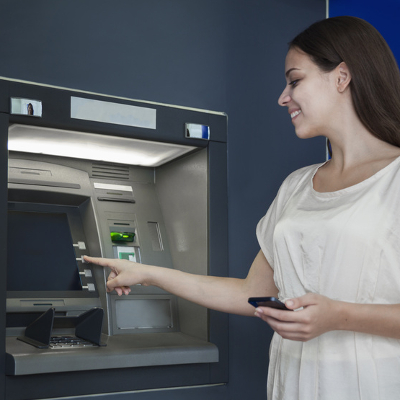
 ATMs are probably everyone’s favorite kind of computer. You swipe your card, enter in your PIN, and withdraw cash immediately. Many people forget that an ATM is simply a computer in disguise, though; one that can be infected with malware just as easily as any old PC can. A new type of ATM malware, GreenDispenser, is making its rounds in Mexico, and could potentially make its way to other countries if left unchecked.
ATM malware has been around for quite a while. In fact, a backdoor called Ploutus, which allowed for the exploitation of ATMs, also originated in Mexico. It allowed hackers to steal money from ATMs by sending commands either directly through the PIN pad or via a keyboard. It grew so advanced that hackers could simply send a text message to the machine and have it dispense cash. English localizations of Ploutus have surfaced, which hints that it was originally meant to spread beyond Mexico’s borders for use in other countries.
There are many other types of ATM malware out there, including Tyupkin, which was primarily used to infect ATMs in Eastern Europe, and Suceful, which locked cards inside the machine for later retrieval by hackers. However, all signs point to the fact that hackers need some physical access to the ATM in order to use it for malware exploitation, and this is further complicated by built-in security cameras that they are often equipped with. It’s suspected that the rise in chip encryption technology on credit cards is the cause of this increased ATM hacking activity.
The way that GreenDispenser works is by displaying an error message, claiming that the ATM is currently out of service. The hacker can bypass this message by entering a predetermined PIN that’s been coded into the malware. Additionally, the GreenDispenser malware continues to distinguish itself through several strange quirks. As explained by ComputerWorld:
Interestingly, GreenDispenser uses some type of two-factor authentication. After the hard-coded PIN is entered, the ATM will display a QR code, which the criminals probably scan with a mobile application in order to obtain a second, dynamically generated PIN. The second PIN unlocks an interaction menu on the ATM that gives attackers control over the cash dispenser. Another option on the menu allows criminals to uninstall the malware in a way that securely wipes it and makes it hard for forensics teams to later recover it.
Though card encryption is likely a leading cause for the increase in ATM malware, thereby making it much more difficult to gain information from card skimming, it’s suspected that another major reason hackers are targeting ATMs is because they often run outdated and vulnerable operating systems (like Windows XP). This only further proves that using operating systems that are past their expiration date can be detrimental and threatening to both your business and your users.
In the case of GreenDispenser, there’s not much for you to do to protect yourself. The victim is the bank or owner of the ATM. But if you do use an ATM, it doesn’t hurt to be aware of the security risks. Check to see if the ATM is under surveillance. If it’s pretty obvious that there are security cameras on the ATM, or it’s under regular supervision, there’s a smaller chance it’s been tampered with.
Since Windows 10 is now a major juggernaut in the business environment, there’s no reason your business needs to run machines that function off of antiquated software. Give Evolve IT a call at (518) 203-2110 and ask our professional technicians what we can do for your organization’s computing infrastructure, including upgrading away from older Windows models, maintaining your technology solutions, and security best practices that mitigate the possibility of data theft.